
Click the Agreed message relations" tab to see which messages that is valid according to the agreement with Btwentyfour for that specific party.
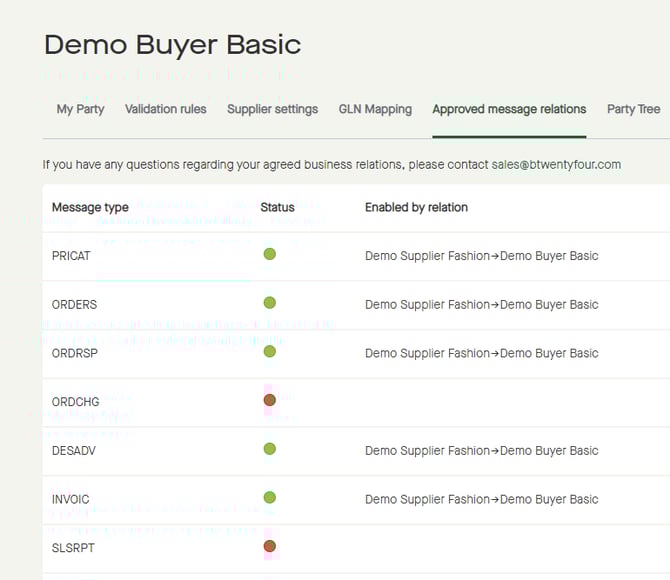
"Status" green for a "Message type", means that there is an agreed message relation.
"Status" red for a "Message type", means that there is not an agreed message relation.
Even though a buyer and a supplier has agreed on a business relation in the platform, by accepting a relation request from the other party, a supplier still needs to sign an agreement with Btwentyfour to have the message relations approved for that specific buyer.